Field Manual
Five paths through the archive, the honest version of how claims and requests work, and where the data lives.
Archive at a Glance

Find the builds you made
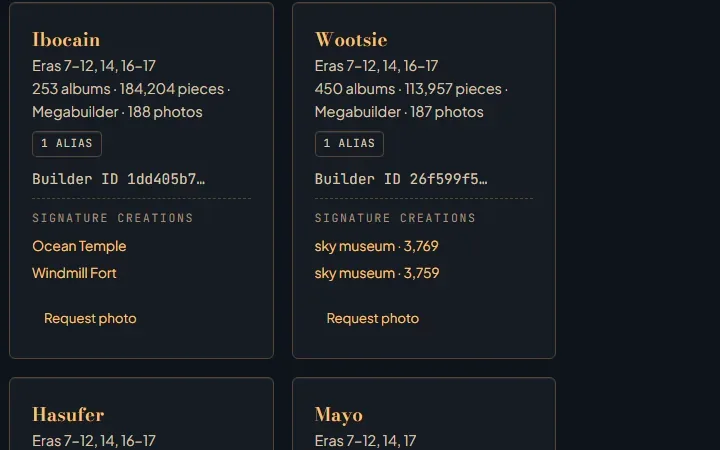
Every builder recorded on a saved construction piece has a page. Credits come from the world file, not from claims, so the list is complete even where no photograph exists yet.
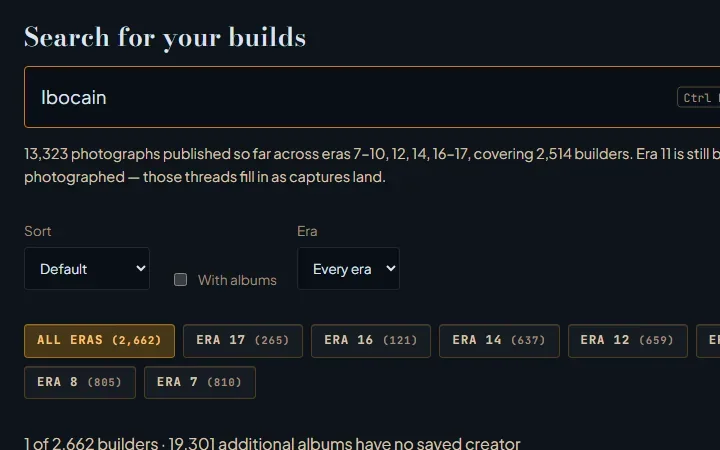
- Open the builders index and press Ctrl K, or click the search box, then type any name you have built under. Aliases count.
- Suggestions appear as you type. Pick one to open that builder's page.
- Use Sort and the era chips to narrow the index, or tick With albums to see only builders with photographed work.
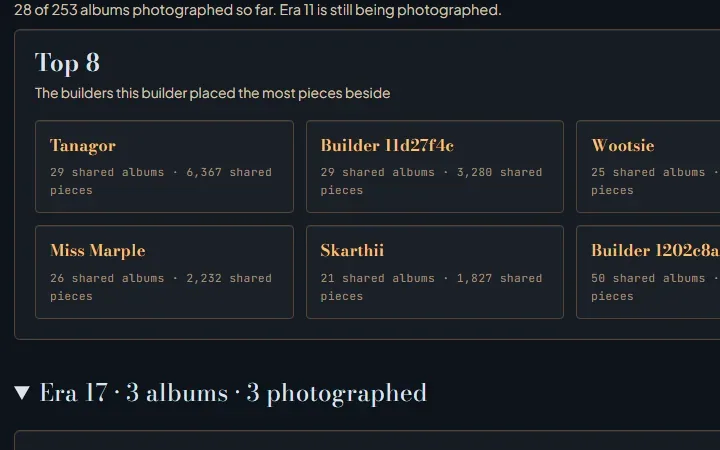
- On your page, each era lists the albums credited to you with piece counts, and the photographs taken of them.
- Your page keeps a Top 8 of the people you built with most, worked out from the pieces you placed side by side.
- If an album is yours, open it and choose I built this. The claim is written to this browser only.
- Nothing leaves the browser until you copy the participation payload and pass it to a coordinator.

Study how the builds were made
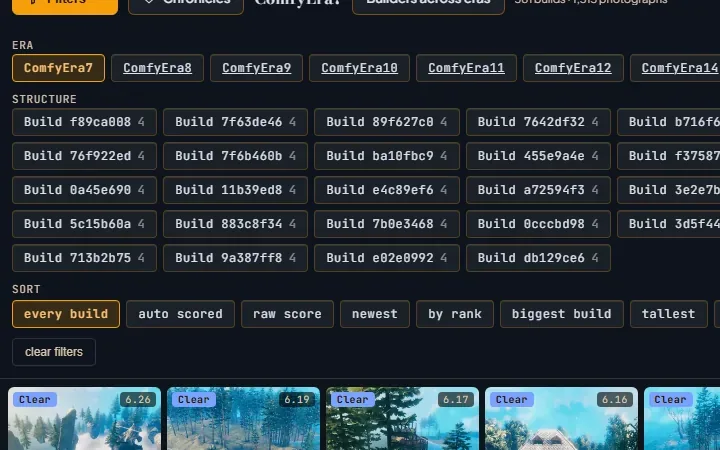
The gallery is a grid of photographs with a filter panel. It is built for looking closely, one structure at a time.
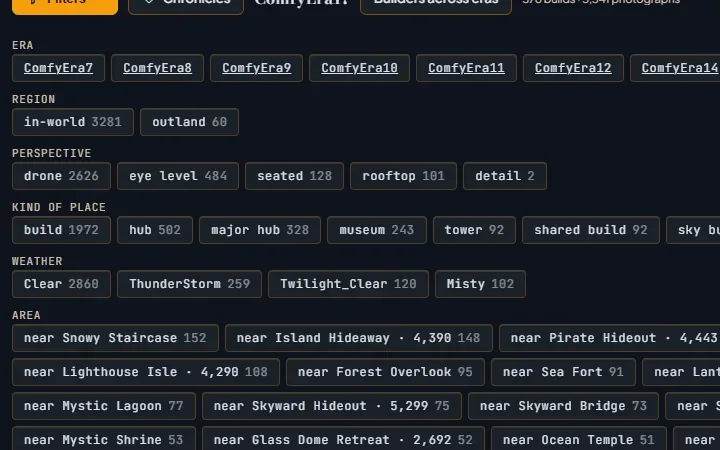
- Press Filters at the top left to open the panel. Facets cover era, region, perspective, kind of place, weather, area and structure.
- Choose a perspective such as eye level or detail to see joinery and proportion rather than silhouettes.
- Sort with the chips at the bottom of the panel: biggest build, tallest, by rank, newest, or starred first.
- Set Page size to load more frames at once.
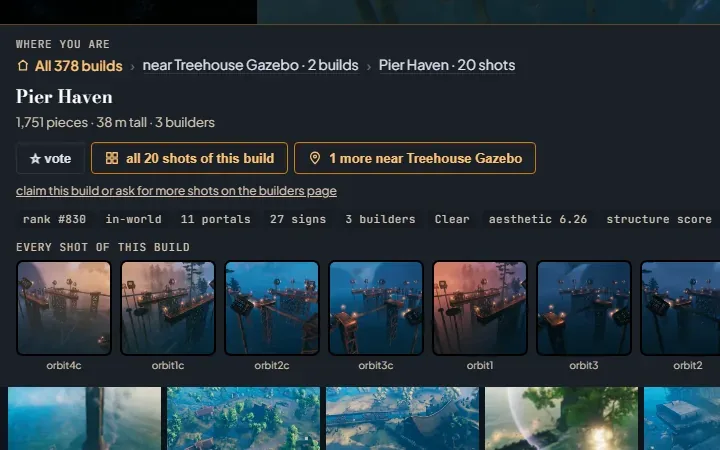
- Click a photograph to open it. The Where you are breadcrumbs show the era, the area and the build.
- Below the photograph, every shot of this build lets you orbit the same structure from each captured angle.

Walk the eras
Each era is a world that was later wiped. The photographs are what remains. Start early and move forward to watch the server's building style change.
- Begin in era 7, the earliest era with photographs.
- Open Filters. The era chips at the top switch to any other era that has been photographed.
- Some eras are still being photographed. Their builders are already in the index, and their albums fill in as captures land.
- Open a photograph and use the Where you are breadcrumbs to jump to the surrounding area.
- The builder named on a photograph links to their page, where the same album sits beside their work from other eras.

Ask for new photographs of a build
Capture sessions follow requests. A request is a small text payload that you copy and pass on. It is never sent on its own.
- Find the builder in the index and open their page.
- Choose Request photo on the album you have in mind. The Request additional photographs dialog opens.
- Tick any of the five preset styles: wide overview, entry-level detail, interior signature shot, height variation, or evening tone study.
- Add photograph instructions, an optional contact preference, and mark it urgent if it is.
- Submit request writes it to Your participation on this device in this browser only.
- Choose Copy participation payload and send the text to a coordinator. Forget my participation clears the browser record.

Open the statistics and the raw data
Every page here is static. What the pages read, you can read. The files are plain JSON behind the same URLs.
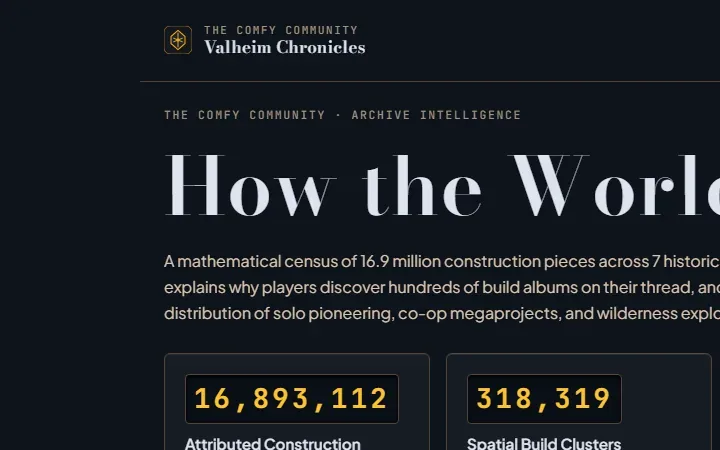
- The statistics page summarises builders, albums, photographs and eras across the archive.
- The builders index reads directory.json; each builder page reads its own thread file.
- Each era's gallery reads its own index.json, plus depth.json and judge.json where they exist.
- Builder keys are opaque identifiers. Names are display text; the key is the identity.
- The world viewer opens the saved worlds themselves, with the builds in place.
Claims stay in your browser
Credits on this site are derived from the saved world. A claim is a self-reported marker beside those credits, not a change to them.
When you choose I built this, or submit a photograph request, the record is written to this browser under Your participation on this device. Nothing is transmitted.
To finish, choose Copy participation payload and send the text to a coordinator. Forget my participation removes the record from this browser.
The raw files
The same JSON the pages fetch, at stable URLs.
/valheim/creators/directory.json- Every builder: key, display name, aliases, eras, album, photo and piece counts, tier.
/valheim/creators/threads/<builderKey>.json- One builder's albums per era, with contributors and their piece shares, and the photographs of each album.
/valheim/eras.json- The current era and the list of era galleries.
/valheim/<era>/index.json- One era's photographs with their facets. The current era lives at /valheim/.
/valheim/<era>/depth.json- Optional per-photograph depth measurements.
/valheim/<era>/judge.json- Optional aesthetic scores used by the auto scored sort.
The world viewer opens the saved worlds with the builds in place. Open the world viewer
Eras
Eras 7 through 17. The table below is generated from the archive at build time, so it shows which eras have photographs today.
| Era | Albums | Albums with photographs | Photographs | Gallery |
|---|---|---|---|---|
| Era 1 | 797 | 122 | 144 | Open the gallery |
| Era 2 | 2,556 | 249 | 338 | Open the gallery |
| Era 3 | 2,636 | 168 | 220 | Open the gallery |
| Era 4 | 2,610 | 0 | 0 | not yet photographed |
| Era 5 | 3,147 | 309 | 432 | Open the gallery |
| Era 6 | 3,723 | 353 | 538 | Open the gallery |
| Era 7 | 3,719 | 381 | 1,513 | Open the gallery |
| Era 8 | 3,900 | 340 | 1,350 | Open the gallery |
| Era 9 | 3,696 | 293 | 1,156 | Open the gallery |
| Era 10 | 3,916 | 313 | 1,221 | Open the gallery |
| Era 11 | 3,710 | 184 | 707 | Open the gallery |
| Era 12 | 3,799 | 277 | 1,091 | Open the gallery |
| Era 13 | 3,939 | 157 | 174 | Open the gallery |
| Era 14 | 4,062 | 493 | 1,820 | Open the gallery |
| Era 15 | 4,666 | 191 | 231 | Open the gallery |
| Era 16 | 4,556 | 162 | 1,859 | Open the gallery |
| Era 17 current | 4,276 | 373 | 3,317 | Open the gallery |